

As is so often the case, I got lost in the overwhelm of researching the best sites for finding the cheapest flights.
I wanted to do a comparison of the sites that I consistently use as well as some other major players that I am just getting around to exploring. I am all about efficiency and feeling like I have all the information before actually making a decision. This is where the overwhelm came into play. There isn’t one site that can do it all for me (efficiently, or intuitively anyway). Not to mention there are some sneaky practices in place – more on that later.
If you follow these tips and tricks you will be armed with all the knowledge you need to confidently find your own cheap flights.
1) Be flexible with your dates and destinations
This may seem obvious, but it really is the key to getting the cheapest flights.
If you want the really good deals, you will probably have to fly at less desirable times. This could mean really early, really late or even overnight.
It may also mean flying into a different airport than you originally planned.
2) Check multiple search engines
Being paranoid that I am missing out on a better deal, I constantly search more than one place to ensure I have the ability to make an informed decision. Which flight comparison sites I use really depends on what kind of flights I am looking for, one-way, round-trip or multi-city. They all have their strengths, weaknesses and quirks. I always check more than one.
My first stop when researching flights is Google Flights. So far I have found it to have the best overall features that allow me to feel confident about getting the best price and seeing most of my flight options. I can quickly narrow down days and departure points.

Google Flights Pros
- It’s fast. Like really fast. The calendar view populates immediately on entering a date and you can quickly choose the best day to travel on a simple one way or return trip.
- Prices are fairly accurate. I’ve looked at the same flight 20 times in a day and it’s the same price each time. Oh, there are some whacky results like a $5000 difference between Google and the airline, but overall I’ve learned I can trust it (I wouldn’t be looking at a $5000 flight anyway).
- Lots of tweaking options. Search nearby airports, different days and specific airline quickly from within the search results window.
Google Flights Cons
- Some flights don’t show up. Not all budget airlines show up so this means you are potentially missing out on some cheaper prices. An example of this is Swoop and Flair in Canada. In some cases, it will at least direct you to the airline’s website for pricing but in other cases, those flights don’t even show up as an option.
- You only see the first flight. If you are booking a round trip ticket, you will only have access to the return flight options after you have chosen the outbound flight. I would prefer to see both flights at the same time like some of the other search engines do.
- Explore Map is somewhat limited. I love the idea of seeing a much wider view of flight options to anywhere in the world. The problem, I find, is that you are limited to a maximum two-week search window for round-trips and a six-month time frame.
Momondo
Momondo is relatively new to me but is quickly proving itself worthy of being one of my main flight search engines. You can also use it search hotels, car rentals and holidays.

Momondo Pros
- Shows budget airlines. The same search I did in Google Flights (Vancouver to Toronto, Canada) showed both budget airlines Flair and Swoop. This gives me confidence that I will find other budget airlines in countries I am not as familiar with.
- There’s an app. I use my iPad a lot when searching and having a dedicated app is a great alternative to searching through the web browser.
- Lots of filter options. There are numerous filters to apply to get the exact flight results you are looking for. Even the size of the plane can be filtered!
Momondo Cons
- The price calendar is lacking. You can’t see a calendar view of a whole month to narrow down cheap flight days. Once you choose a day and search, a bar graph does come up with pricing for other days but it doesn’t actually match the flight result prices. I am hoping this is just a temporary glitch.
- Not all the booking sites are super reputable. Momondo is a search engine. When you find a flight you like they send you to that booking site to complete the purchase. There are a wide variety of booking partners and some of them have rather poor reviews. The good thing is that you can easily filter out any of the booking sites or choose airlines only.
- Searches are slow. Search results can take a while to populate. This may have to do with the sheer number of booking sites it is searching.
Skyscanner
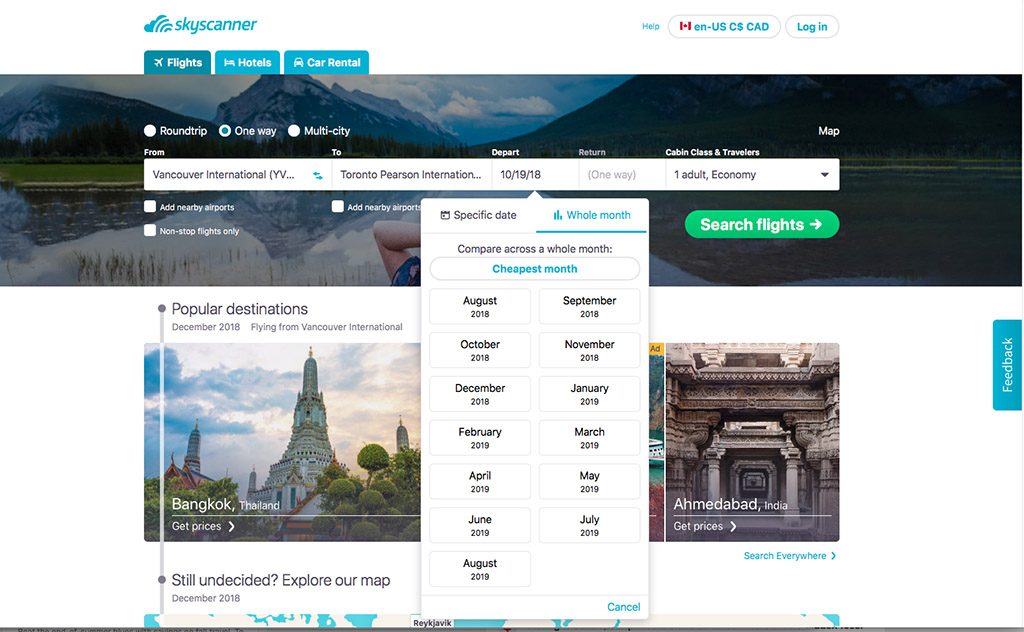
Skyscanner is another great flight comparison tool where you can also book hotels and car rentals.
Skyscanner Pros
- Shows self-transfer options. If you don’t want to fly direct somewhere this shows you other options for stopovers. An example of this is Vancouver, Canada to Sydney, Australia. I don’t have the desire to do that in a direct 15hr flight but this shows me I can stop overnight in Honolulu, pay for a hotel and still end up paying the same or less than any other one-way flight.
- Car rental/airport shuttle search. This is a unique feature that shows up after you have chosen a flight. It’s handy to see what shuttle options are available at the airport you are flying into or the cost of car rentals using the flight arrival information.
- Good calendar view. When looking at simple one-way or round-trip flights, the calendar view is fast and easily accessible.
Skyscanner Cons
- Shows budget airlines. . . but. It wasn’t easy to find all the flight options. Ticking search nearby airports still wasn’t picking up the same flights I could find in Momondo.
- Not all the booking sites are super reputable. Skyscanner is a search engine just like Momondo and Google Flights. When you find a flight you like they send you to that booking site to complete the purchase. Most of the time booking directly with the airline is an option, but not always.
- Not as many filter options. The basic filters are there such as number of stops, departure times, trip duration and airlines but it is lacking in some of the more detailed filters such as booking sites or stopover airports.
Kiwi.com
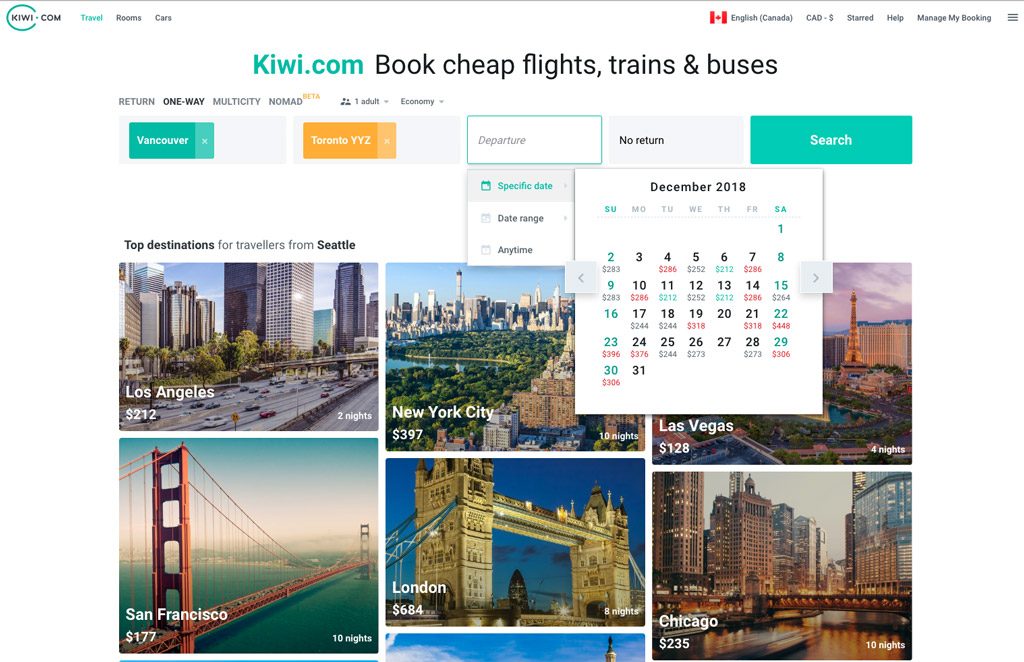
There are some aspects of kiwi.com that I find superior to the other search engines I use making it worthy of mention here. Most notably – it’s multi-city function and map features.
Pros
- Best multi-city search so far. Calendar view with prices stays active during multi-city searches making it quick and easy to see the best days to travel in and out of each destination.
- Combines different airlines. This shows two one-way ticket options instead of just booking through one airline/alliance all the way. This often results in cheaper flights and is quite safe as long as there is more than enough time in between flights. I would really only use this option if you were planning to stopover at the in-between spot. That way you won’t be surprised if you need a visa or have to check in again because you have already researched that.
- Explore map is easy to navigate. Once you are in the explore map you can quickly change destination and origin points by right or left clicking your mouse.
Cons
- Pricing can be inconsistent. I’ve done the same search through an incognito browser and a regular browser and come up with completely different results. This tends to happen after searching the same flight several times a day making me believe that cookies are the culprit (especially since I can find the cheaper flight price directly with the airline).
- There are a lot of bad reviews. Having never used the site to book flights myself, I turn to other reviews to see if there are problems. It is harder to find good reviews than bad.
- Those first two cons are pretty major. It was hard coming up with a third con here as the site itself is a pretty amazing tool. Right now I only use Kiwi.com for gathering information, not booking. And to get true prices I use a private browser so that cookies are not increasing the price on me every time I look.
3) Check the individual airlines
Check prices directly on airline websites and sign up for email newsletters from airlines that you frequently travel with. If they have a loyalty program you may also get access to special sale prices or more flight perks.
Skyscanner has a great list of airlines to see who flies where. This is a good place to find those budget airlines that might not show up in other searches.
4) Search without the cookie crumbs (in a private browser)
For the most part, I have not found repetitive searching to change the price of flights that I continuously obsess over. That being said, it doesn’t hurt to change your searching habits when looking for deals and here are some ways to do that.
- Use the private browser option that doesn’t keep track of where you’ve been
- Use a different browser all together like switching from Firefox to Chrome
- Use a different computer or device. Or go one step further and search in a different physical location – work then home.
5) Read the fine print
The price you see first may not be the final price. Each carrier has different baggage allowances, even for carry-on. Some of the budget airlines charge for everything beyond a seat so keep that in mind when calculating the true cost of the flight.
If you need to make changes to your flight there will also be penalties. Although you don’t need to factor this into the actual flight cost, it is wise to keep it in mind if you think your plans might change.
When it's time for me to book
Personally, I still try to book directly with the airline. I believe that gives me the best chance of working through any issues that might arise. This may be a false belief on my part but it’s still a hard one to let go. The search engines I use send me directly to the airline website. This gives me a fast and efficient way to see the best prices plus the confidence of booking directly with the airline.
I don’t feel this way about booking hotels so check out this post about how I go about finding accommodation deals.